
When will I see my data?
Right after setup
Prys starts loading your data as soon as you finish the setup and shows Preparing your data. You can close the page: we email you when your data is ready. Go to Settings (1) lets you look around while it loads. If you stay on the page, Prys opens your dashboard when it finishes.
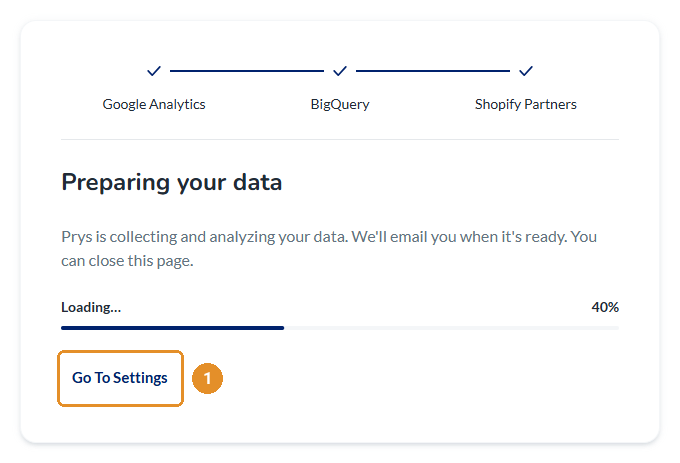
- Your Shopify history (installs, uninstalls, subscriptions, revenue) loads first.
- Google Analytics data (visits, sources, keywords, install clicks) comes from Google's daily copy to BigQuery. The first copy usually arrives within two days of linking, so expect it in Prys about two days after you link BigQuery. Until then, the dashboard shows the date it usually arrives:

- Live data (with streaming, see Link Google Analytics with BigQuery, and turn on live data) starts after Google's first daily copy and your next install that reaches Google Analytics. If your property was already linked with streaming on, it shows up as soon as Prys has loaded your data.
Day to day
- Daily only: your latest full day is usually the day before yesterday. Google sends each day's copy the next day, and Prys loads it once it lands.
- With streaming: live, through the day.
- Prys checks for new Google data every hour.
Earlier Google Analytics data
Google sends data only from the day you linked BigQuery. Earlier days are never sent, and neither are days when the export was off. Without billing on your Google Cloud project, Google also deletes tables after 60 days, so older days disappear.
Nothing in two days?
Check, in this order:
1. The link is still there and Daily is ticked: Google Analytics › Admin › Product links › BigQuery links. See Link Google Analytics with BigQuery, and turn on live data.
2. Prys's key still works (Give Prys read access to BigQuery). Settings › Company shows a ✕ next to Prys's BigQuery key if not. See Setup and connection messages.
3. The property stays under Google's daily export limit (1 million events a day for standard properties). If a property keeps going over it, Google pauses the daily export and doesn't send the missed days later. In the link settings, exclude other data streams or events, but keep the events page_view, Add App button and shopify_app_install.
4. The link settings include your App Store data stream and its events.
5. The key is from the project your BigQuery link uses. The key file's name starts with the project ID.
Prys checks every hour and loads the data as soon as it arrives. To check the link from Prys, click Check the link in Settings, or Sign in with Google and check on the dashboard. Still no data in two days? Write to us at connect@prys.io.
Once your data is in
Try the growth pages: connect Google Ads, rewrite your App Store listing, tune your Shopify Ads bids, and set up Email flows. To see how you compare with other apps, read Funnel and KPI benchmarks.
Related posts